May 14, 2015

What's New with the 12 May Release

This week we have rolled out several important new updates, features, and fixes.

API Updates:


  • Merchants now have the option to select either 4 digit or six digit PINs for employees. This setting is exposed through the REST API from the /v3/merchants/PWPH981CWGAX6/properties  endpoint under the pinLength field.
  • REST API requests with expansion query values that include non-letters will now return 400 Error 'Unable to parse expandedField'.


Dashboard Updates:


  • App package names are now based on the first uploaded package, instead of being set before uploading. Be sure to review the Android documentation as there have been several updates: https://docs.clover.com/build/android-apps/.
  • Android app push notifications are now constrained to alphanumeric characters, underscores and hyphens.


Bug Fixes:


  • New EU developer merchants are no longer automatically assigned a region of en-us.
  • Web app installation redirects now respect app's default response type selection.
  • Fixed bug preventing developers from removing an app's smart receipts URL once it had been entered.


May 01, 2015

What's new with the 27 April Release

Many of you will have noticed we have rolled out a new version of the developer docs this week at https://docs.clover.com. So be sure to keep your eyes out for updates there in the coming weeks.

API Updates:

  • Webhook subscriptions using SSL (strongly recommended) will no longer receive webhook alerts if their SSL certificate is not valid.

Dashboard Updates:

  • The POST v3/merchants/{mId}/shifts/csv endpoint has been replaced by the GET v3/merchants/{mId}/shifts.csv endpoint, which allows up to a 9 week time range.
  • The developer signature file for uploaded APKs must now be named META-INF/CERT.RSAU.

April 24, 2015

What's new with the 22 April Release


With Clover Mobile and Clover Mini rolling out, the team has been hard at work tuning up our platform and building out improvements geared toward helping 3rd party developers succeed in building, testing, launching, and tracking their apps.

API Updates:

  • In order to prevent service delays there are new constraints for certain API calls:
    • Items Reports queries are limited to a 9 week span
    • V3 Tax report queries are limited to a 92 day span
    • Cash log queries without explicit time filters will return results for the last 30 days
  • POST requests to create LineItems will now honor "note" field values

Dashboard Updates:

  • We have improved our systems for validating uploaded APK packages. Please review the updated documentation about creating and naming your APK
  • In order for a developer's test merchant account to allow credit card processing, that merchant must be pointed at a "black hole" payment gateway. This is now done by default on all new test merchant accounts.
  • All apps are now free for sales demo devices
  • The developer Charges table now supports filtering by any column - including status, amount and type:

April 07, 2015

What's New with the 5 April Release


The big news this week is the announcement of Clover Mini (in addition to Clover Mobile) joining the Clover device family:


Be sure to check out the specifications for the new devices in our docs and on our hardware pages:

https://www.clover.com/docs/devices

https://www.clover.com/pos-hardware/mini

https://www.clover.com/pos-hardware/mobile

Dashboard & App Updates:

  • Refunds processed through the Manual Transactions app or the Refunds app were previously called 'Credits'. In order to avoid confusion for merchants, these refunds are now referred to as 'Manual Refunds' in all merchant-facing language.

Note that no changes have been made to the internal data representation of manual refunds, so this change should have no impact on third party apps in terms of integration with the Clover platform. Manual refunds will still be identified as credits internally through our REST API and Android SDK.

We do recommend that third party apps dealing with manual refunds make sure to refer to them as such, in order to provide a more consistent and intuitive user experience to subscribing merchants.

  • Due to the enhanced security offered by the Clover Mobile and Clover Mini devices, it is now necessary for Clover to add an additional secure signature to uploaded APKs before they can be published. This means that the APK approval process now includes one additional stage "Pending signing":
The "Pending signing" status on the manage APKs screen


No additional action is required from developers, but be aware that secure signing is a manual process which can take some time, and take this into account for your launch schedule.

March 31, 2015

Permissions Versus Modules


As a developer, you can think of permissions and modules along similar lines: you should strive to use only the minimum of permissions necessary in order to avoid distrust from merchants, and you should select only those modules that apply to your app in order to let your app reach as many merchants as possible. However, it is important to understand the different roles the two settings play.

Permissions are how a merchant can opt in to allowing your app to read or write to specific categories of their business’ data. If a merchant has downloaded your app, they have approved each of your 'permission' types. We keep track of what permissions your app has been given, and will only allow access where permissions are present. For example, without 'Read Orders' permission, you will be unable to access a merchant’s order information through the SDK or the REST API. 

Modules are part of the upcoming app bundles, available to Clover Mini and Clover Mobile merchants. They are designed to limit your app to merchants with appropriate capabilities. Each module represents a category of resources and data which is available to merchants whose bundles include that module, and are not available to merchants whose bundles exclude it. You should use modules to indicate which features your app needs in order to minimally function. For example, if your app relies on merchant and item data, you will need to select the Merchant and Items modules. Because the Items module is not included in the Terminal Bundle, merchants on that bundle will not be able to install your app.

Note: unlike permissions, we currently do not limit API or SDK calls based on modules.

March 25, 2015

Order API Notice

PLEASE NOTE:


A recent change to the Orders API means that unless otherwise given explicit modifiedTime or createdTime parameters, the endpoint returns only orders with a modified date within the last two weeks. This may have caused some unexpected behavior as the query dropped orders not modified within the last two weeks.


The two week limit will be removed Thursday night. In the meantime, a workaround is to include any valid modifiedTime or createdTime or clientCreatedTime parameters.

March 24, 2015

What's New with the 22 March Release

The entire Clover team is thrilled about the upcoming launch of Clover Mobile, Clover Mini, and our new merchant software plans. In the coming weeks, you can look forward to getting all of the details about these new devices, as well as how you can best utilize our new plans as a developer.

For now, we have a sneak peek of the new system as we prepare with an update to your developer dashboard.

The Developer Dashboard > Your App > Edit App menu now includes a section for setting which modules your application requires:


The new Required Modules menu


Think of these modules along the same lines as permissions. Select only the categories of data your application will require to operate.

After the upcoming release, merchants using Clover Mobile or Clover Mini will have the opportunity to register for two new kinds of merchant plans as alternatives to the Classic plan, which comes with our current Clover Station. 

Each plan will have access to a different set of modules:


Modules by Merchant Plan


Although an app's module settings will not take effect until after the coming release, we recommend that you get a head start by selecting only those categories of data needed by your app. This will ensure that your app will target the widest user base possible as we welcome a new community of Clover Mobile and Clover Mini based merchants.

March 16, 2015

What's New with the 9 March Release

With the latest release we have given the developer's Charges panel some great new functionality. It is easier than ever to review your subscription data.

  • The Developer Dashboard > Charges page now supports the export of charge data in CSV format.
The charges export dropdown


This report includes:

Charge ID
Charge Date
Install Date
Uninstall Date
Merchant ID
Merchant Name
App ID
App Name
Charge Type
Currency
Amount
Status
System Type
Subscription Name

CSV report left side
CSV report right side


  • The Charges page also now displays monthly totals.


Charges Summary display


  • Finally, the Charge Date heading on the  Charges page, now includes both the install, and uninstall dates of the charged merchant.


February 25, 2015

What's New with the 24 February Release

With this week's release we have some new tools to help developers stay responsive to their merchant user base.

Remember to keep an eye on the Latest Releases Feed to keep up with merchant facing updates.

IMPORTANT UPCOMING CHANGE:

As of 3/1/15 Clover will be transitioning its billing structure for merchants. Payment will shift from credit card billing through BrainTree to direct deposits from the merchant's bank account. You will notice that the pending period now includes an "In Progress" step after the transaction has started processing.

Under the new system, Clover billing and disbursement will all take place on a monthly basis. Clover will charge a single fee to each merchant's bank account every month. This will include the previous month's per-action charges, new subscriptions (pro-rated), existing subscriptions for the next month and any refunds owed to the merchant.

Dashboard Updates:

  • In preparation for building out our OrderType functionality, and as a teaser of things to come, order types can now be set with a number of new options. (These options will not be honored by Clover apps yet.) You can take a look at the new choices by navigating to Merchant Dashboard > Setup > Order Types and selecting Add Order Type:

The New Order Type dialogue 


New Order Type settings include:

Custom hours

Whether to display the type as an option in the Register app

Which inventory categories are available per order type

Min/Max order amounts

Special fees

Delivery radius and average delivery time

Dashboard Bug Fixes:

  • The main page of App Market now displays the correct "starts at" pricing amounts for logged out users.
  • New subscription tiers and pricing can now be added after an app already has active subscribers.

Webhooks Updates:


  • Merchant webhook will now send UPDATE notifications when a merchant changes properties such as their business hours, phone number, or order types.
  • The Webhooks server will now enforce a back off for clients returning error responses. After a threshold of 5 errors the server will begin to delay it's notifications with sequentially increasing back off times.


February 04, 2015

What's New with the 3 February Release

Time for another round of the latest from the Clover team. Leading the charge in this week's release are several new dashboard updates aimed at helping your app to look its best in the App Market.

Some of you Android developers will be excited to hear we have also increased the APK upload size limit from 10MB to 32MB.

As always, be sure to take a look at the Latest Releases Feed to catch up on all of the merchant-facing changes.

Dashboard Updates:
  • Subscriptions will be ordered by price from least to most expensive on the app's details page.
  • On the App Market main page, apps with multiple subscriptions will now be listed as 'Starts Free' or 'Starts at...' your lowest tier.
  • Uploaded app videos are displayed at a larger size on the app's details page.
Updated pricing style on listings


New, larger app video


Dashboard Bug Fixes:
  • App screenshots can now be deleted from the Edit App page

API Updates:
  • The taxRates field is now expandable for the v3/merchants/{mID} endpoint

SDK Updates:
  • The APK size limit for uploading Clover apps has been increased to 32MB
  • The Clover SDK inventoryContract now exposes Item.MODIFIED_TIME

January 21, 2015

What's New with the 19 January Release

Hi all, for those I haven't interacted with yet I am a recent addition to the Clover team, here to help provide useful resources and support to our rapidly expanding community of 3rd party developers.

As a part of that program I will be regularly updating this blog with details about Clover's new releases likely to impact the developer community. (For merchant facing release info, check out the Latest Releases feed here.)

Here are the changes to look out for in the 19 January release:

Updates:

New Features:
  • Subscription rates and metered actions now have separate sub-listings for each country where the app will be available. From the US market, the United States is currently the only country option. The EU market has options for the United Kingdom and Ireland. 

If your pricing status has been approved, you can manage these settings by clicking the 'Add Country' button under the payment type listing. 

Please Note: Setting the price for a country signals availability for that app.

US:

EU:

If you are developing for the EU market and your pricing status has not yet been approved, you can select the countries where you intend to make your app available with the 'Availability' settings on the 'Edit App' screen

EU only:


  • The App Market now supports a 'subscriptionId' URL query string which allows external links to an app with one subscription option pre-selected. (e.g. Charity Checkout's free subscription)


Deprecations:
  • The "a" route www.clover.com/appmarket/a/[appId] has been deprecated.  Instead use the "apps" route www.clover.com/appmarket/apps/[appId] 

November 04, 2014

Introducing Clover Mobile

Clover Mobile, the world's first mobile, integrated POS device with EMV chip card,
NFC contactless, and on-screen PIN entry.
 

Clover’s mission is to put an API on every store on the planet. This was born out of the frustrations that we as app developers targeting merchants had: it was difficult to impossible to build and distribute our innovations to small- and medium-business. We've made great strides over the past year, having sold nearly 30,000 Clover Stations through our parent company, First Data, and their merchant acquiring partners such as Bank of America, Wells Fargo, PNC, and SunTrust. We've launch the Clover App Market, where many apps are now live and many are in development.

Today we take a giant leap forward in achieving our mission: we’re proud to introduce Clover Mobile, the world’s first integrated, open, mobile POS system with all modern payment interfaces: EMV chip card reader, NFC reader, magnetic stripe reader, on-screen PIN entry, and 1D/2D barcode scanner. We believe Clover Mobile will become the “swiss-army knife” computing device in stores, and we're inviting you to develop apps for it.

A Better Terminal

The humble single-function payment terminal is the most ubiquitous device in real-world commerce. There are 17 million payment terminals sold every year worldwide. Clover Mobile may be used only as a payment terminal at a shop on day 1, but on days 2, 3, and 4 it will be used for loyalty programs, CRM, voucher and coupon redemption, employee time cards/scheduling/management/payroll, physical+mobile gift cards, inventory management, alternative payments, customer membership programs, and the full integrated POS system over time. We find that many of these apps either have payments somewhere in their flows, or are better because of the integration in some key way. We’re not picking the winners and are not so arrogant we think we can do everything ourselves: this is why we have an open API both on the device side (where you can write Android apps) and on the cloud (with our REST-ful web APIs).

Design Thinking & Technical Details

Clover Mobile is a modern tablet augmented with payment superpowers:
  • Quad-core Tegra 4 SoC
  • Clover’s hardened version of Android (AOSP) 4.4
  • 7" 1280x800 display
  • Dedicated secure processor for payment interfaces
  • EMV chip card reader, NFC reader, MSR reader
  • On-screen PIN entry (w/ solution for the visually impaired)
  • World-class 1D/2D trigger-activated barcode scanner
  • LSR rubber bezel and handle base for soft landings
  • Charging base
  • WiFi, Bluetooth (w/ Bluetooth LE/Smart), and optional 3G
  • Bluetooth+BLE thermal receipt printer
Clover Mobile has a rather distinct feature for a tablet: a handle. We wanted to build an industrial-class device without appearing industrial. The handle makes the device easy to carry all day long while scanning barcodes, inserting chip cards, and swiping. It also provides an integrated stand for presenting the device to customers.

Start Developing Now

We'll be providing a developer hardware program soon (sign up here if you're interested). Until then, get started at www.clover.com/developers. The Android and Web APIs that exist for Clover Station all work on Clover Mobile, and there will be a number of APIs specific to Clover Mobile's unique features, primarily around secure payments. You can build any app you want, using our secure payment application.

October 20, 2014

Order and Pay from Table at Bierhaus, powered by Apple Pay, Clover, and Estimote's iBeacon

Update: The Bierhaus app is now live in the App Store! Come play with it at Bierhaus in Mountain View, CA.

Background: Clover and First Data (our parent company) have been working with Apple to prepare for the launch of Apple Pay. Clover is enabling our cloud-based point-of-sale platform to accept Apple Pay In-App payments. Here's a sneak preview of what we did with Bierhaus, a beer garden in Mountain View, CA. We'll be open sourcing most of the Bierhaus app in the coming weeks. You can read more about how Apple Pay works from my first blog post

When I look outside the window from the Clover office, I often see a line outside Bierha.us. Here's the line as I write this post on Friday evening.

Bierhaus, with its ever-present line, shot from my window.
Now, I'm someone who hates waiting in lines, particularly if I'm going for a quick happy hour break at work. I'd like to just sit down, order from phone, and have my beer magically appear. So we built an app for that.

There are several key components to making the Bierhaus app work:
  • Apple Pay. Users can download the Bierhaus app and order and pay without typing in a credit card number or creating a user account. This is a leap forward in convenience and usability.
  • Clover. Clover is a cloud-based point-of-sale platform. POS systems are the central nervous systems of restaurants and retailers. We built Clover to be hackable (in the positive sense) to enable app developers to build new apps that use menu/inventory data, submit orders/tickets, make payments, print to kitchen printers, etc.
  • Estimote. We use Bluetooth Low Energy beacons to know the user is in the store.


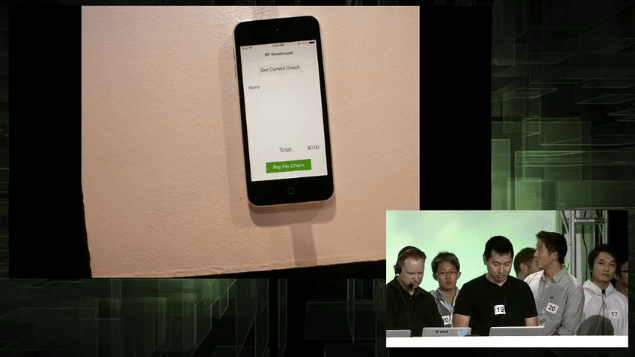
The Bierhaus app for iPhone 6 lets you order:


And pay:


We have several Estimote Beacons placed around Bierhaus. Right now, this is mostly to restrict people from ordering beer when they're not at Bierhaus. In the future, you could do much more interesting things, such as automatically determining the table number (e.g. see Downtown) or creating a real-time map of where your customers are and doing path planning for delivery.


Thanks to the beacons and the Estimote SDK, I get this handy lock screen app:


Where to from here?

Clover has thousands of merchants on its platform, and is growing at thousands of merchants per month. Over the coming weeks and months, we'll be enabling developers to build a raft of experiences: self-checkout, order ahead, pay at table, and order+pay at table. We expect that most apps targeting small and medium businesses will act as aggregators serving many merchants, not a single merchant like the Bierhaus app does.

We'll be open sourcing some apps and experiences we've been developing. Our goal is not to be a consumer-facing brand, but we need to develop these apps to prove out our platform quickly and iteratively. We welcome developers to pick up where we've left off and commercialize these experiences.

Other Wallets and Android

Any wallet that simply provides a credit card number can be used with Clover. For example, Google Wallet Instant Buy is Google's analog to Apple Pay In-App payments. Instead of using network-level tokenization like Apple Pay does, they instead use a proxy card with single-use tokens. Different design, but similar end result from an end-user, merchant, and developer perspective.

John Beatty is co-founder and head of engineering at Clover. Follow him at @beatty.

Clover is hiring! We're looking for world-class engineers and designs to join our team to fulfill our vision of putting an API on every store on the planet.

September 09, 2014

How Apple Pay works and why it matters for developers

Update: If you'd like to learn more, come to Clover's Apple Pay developer event in Mountain View on Wed, Oct 8: http://www.eventbrite.com/e/apple-pay-deep-dive-how-it-works-and-what-it-means-tickets-13394038931?aff=blog

Background: Clover and First Data (our parent company) have been working with Apple to prepare for the launch of Apple Pay to support developers, merchant acquirers, and issuing banks (see First Data's press release). Clover is enabling all merchants to accept In-App payments, and will be In-Person/NFC enabling all merchants as well (see https://www.clover.com/features/iphone). Here's a bit of how it works from a developer's perspective, and why it matters.

Apple Pay marks the first time a popular operating system is making payments a platform service for real-world, non-digital-good transactions, in a broad, inclusive manner that is compatible with the mainstream payments processing industry. At Clover we're particularly excited because we believe it opens up lightweight apps that can interact and transact with small-and-medium brick-and-mortar restaurants. By lightweight, I mean that these apps won't need to maintain a user database, require user logins, worry about getting cards on file, or being an unwilling payment aggregator. i.e., it will be at least 10x easier. I expect a huge amount of innovation in real-world mobile commerce as a result over the coming years because of the revolution that Apple Pay is starting.

Network-Level Tokenization

"All problems in computer science can be solved by another level of indirection". -- David Wheeler
The first and most important thing to know about is tokenization.

The payment networks (Visa, MasterCard, Amex, etc.) have been very busy building something called tokenization. I call this network-level tokenization to distinguish it from the more familiar forms of tokenization, which is typically performed at either the gateway (such as the Braintree card vault) or the acquiring platform (such as First Data's TransArmor).

E-commerce developers should be quite familiar with the concept of credit card vaults, which take in the PAN and give you back a token to use in its stead. These vaults are typically provided by e-commerce payment gateways, such as Braintree or Stripe, and let you put credit cards on file for your users. I call this gateway-side tokenization. The defining characteristic of these tokens is that they're scoped to a single merchant. They're useful for a developer who wants to keep a credit card on file (to enable low-friction transactions) but without the burden of securing (and associated compliance) of maintaining a database of PANs.

Here's the authorization flow when a gateway-side token is used:

Gateway-side tokenization

The payment networks are proposing something very different: network-side tokenization. These tokens are very different. They are essentially aliases for PANs that are exchanged during an authorization by the network. These tokens are provisioned (see below) into the secure element on the iPhone 6 and used in authorization flows (further protected with 3-D Secure -- see below).

Here's the authorization flow when a network-side token is used:

Network-side tokenization
There are several important things about these network-side tokens:
  • They look like standard PANs -- e.g. they're 16 digits. They're mostly compatible with the existing payment processing infrastructure.
  • The tokens are issued within a special BIN in the network's routing tables that flag it as a token rather than standard PAN.
  • They are exchanged via the network by Token Service Providers, a new role in the ecosystem.
  • They are provisioned via a Token into a secure element of a mobile device or some other "secure enough" storage (perhaps Android HCE), facilitated by the issuing bank.
Most developers reading this have likely never read an EMVCo specification, but this one is worth a read: EMV Payment Tokenisation Specification – Technical Framework.

This is the typical way that a developer would provision a token:

Token provisioning

EMV token provisioning is entirely different -- it's between the issuer, the wallet, and the Token Service Provider:

Network-side tokenization
The end result is a token that can be used across merchants and both online (In-App) and offline (NFC, In-Person).

User Logins

After thinking about it a second, you might realize "why do I need my user to create an account with an email address and password at all?" A primary driver (though not only) was to have an account to associate the gateway-side token with. This is no longer strictly necessary: A consumer could simply download an app that connects them with a local merchant, browse the menu, and buy something from their table. This is really important when it comes to apps for small- and medium-sized businesses (local merchants).

Accidental Merchant Aggregators

Many mobile wallets and online-to-offline services have become merchant aggregators, where the company becomes the merchant-of-record for many submerchants.

Say you're an order-ahead app enabling consumers to buy food and pick it up later. You really don't want to be in the payments business, but how else do you collect money from the consumer and to the restaurant? There's so much friction in the system that the typical way is to become the merchant-of-record, which is a position you accept begrudingly. Chargebacks and disputes? It's your problem now.

Network-level tokenization, and iPhone in particular, will radically change this dynamic. Commerce apps won't be forced to become aggregators any longer -- they simply need to use the iOS payment SDKs, and the SDK from the merchant acquirer, to process the payment.

Clover is making this even easier -- all Clover merchants will be enabled for In-App payments, which will give developers instant access to many thousands of merchants through our APIs (for submitting and reading orders, reading and updating menus and retail inventory, receipt printing, etc.). We're selling Clover Station to thousands of merchants a month, enabling developers to reach these merchants through the Clover App Market.

iOS Payments SDKs

Developing an iOS app that uses Apple Pay In-App payments is quite simple. You will use two different APIs:
  1. iOS In-App payments API, for interacting with the user and getting a payment token.
  2. Your merchant acquirer's API, for processing the transaction with said token.
Check out First Data's Payeezy SDK (even more so if you're a Clover developer). In the future all Clover merchants who desire it will automatically be able to accept In-App payments.

3-D Secure

3-D Secure, known commonly as Verified by Visa and MasterCard SecureCode has been largely ignored in the U.S. This is a crude analogy, but 3-D Secure is the e-commerce analog to EMV (which authenticates a cardholder via cryptograms coming from the card). It provides authentication from the issuing bank to use the token that has been provisioned onto the iPhone.

Developers working on iPhone In-App payments don't need to know the details of 3-D Secure when they use Payeezy, but I find it interesting (and you'll find some references to 3-D Secure in the Payeezy SDK).

Here's what a transaction message to a gateway looks like before 3-D Secure (from the Payeezy API docs):
{
    "merchant_ref": "Astonishing-Sale",
    "transaction_type": "purchase",
    "method": "credit_card",
    "amount": "1299",
    "currency_code": "USD",
    "credit_card": {
        "type": "visa",
        "cardholder_name": "John Smith",
        "card_number": "4788250000028291",
        "exp_date": "1014",
        "cvv": "123"
    }
}

And after 3-D Secure (also from the Payeezy API docs):
{
  "merchant_ref":"merchant-specific-info (This is optional)",
  "transaction_type": "purchase",
  "method": "3DS",
  "3DS":  {
    "type": "A",
    "version": "EC_v1",
    "merchantIdentifier": "mock-1",
    "applicationData": "VGhpcyBpcyBzb21lIHRlc3QgZGF0YS4gIDAxMjM0NTY3ODk=",
    "data": "v6cqGDrjcJUCLdpRkSQIt...",
    "signature": "AKCAMIIBoTCCAUgCAQEwCQYHTBFMQswCQYDVQQGEwJVUzE...",
 "header":  {
      "applicationDataHash": "4b5745dd55d72886c06a2c65bb05...",
      "ephemeralPublicKey": "MFkwEwYHKoZIzj0CAQYIKoZIzj0D...",
      "publicKeyHash": "YmSWN7lj4+A6fVJVPicP8TgS7gI7oug...",
      "transactionId": "34303833303938"
    }
  }

Apple Pay NFC Payments

NFC has been derided for years in the U.S. (though my coworker's 65-year-old mother arrived from Australia a couple days ago complaining bitterly that merchants here can't take tap payments). It's a really great technology that's just been waiting for a tipping point. That point is here.

Apple Pay uses industry-standard EMV contactless protocols over NFC (and MSD contactless for backward compatibility). This makes it compatible with a wide range of contactless payment terminals in deployment today. Clover is NFC-enabling all current and future Clover products.

About the author: John Beatty is co-founder and President of Engineering at Clover. Follow him at http://twitter.com/beatty. Follow Clover Engineering at http://twitter.com/CloverEng. Press can be reached at press@clover.com.

September 08, 2014

SmartTables is the Disrupt SF 2014 Clover Sponsor winner!

Congratulations to SmartTables, winners of the $5,000 Clover sponsor prize for the TechCrunch Disrupt 2014! Ray Ho and Mark Watson combined iBeacons with a restaurant mobile app to seamlessly mark a table as occupied when patrons arrive and pay for their bill when they leave. Customers can also order food from the app to speed up service even more.

SmartTables

See a full writeup and the SmartTables demo on TechCrunch.

This was one of a number of great teams that hacked on Clover. Given 24 hours to hack on Clover's RESTful web API and Android SDK, teams came up with smart coupons, getting change back in Bitcoin, grocery shopping by recipe, and more.

We're excited to see how much innovation one weekend can bring to small and medium businesses. Being an open platform means that is hacking on Clover is a year-round event! Learn how to publish your app in the Clover App Market at https://www.clover.com/developers.

August 27, 2014

How Clover became an open platform

Cat looking really unhappy about his restaurant experience
You have an amazing idea for a restaurant you frequently visit.  When you finish eating, diners can just get up and walk out.  Their account will be charged.  You even know how you want to pitch it to investors.  It's going to be the Uber for Restaurants.  You are a good programmer so you start building it.  It looks really good.  Time to test it out.

INSERT INTO awesome_solution
VALUES(closed system, impossible sales challenge);

You can't hook it up to the card terminal, no terminal maker wants you messing around with card data.  You can't plug it into a PC point of sale system, they don't want you breaking something and then causing the restaurant to call their support line.  Worse, you realize that even if you do figure out a way to MacGyver the solution, you now have to go door to door trying to sell your solution.

We faced the same challenge.  So we decided to blow up the closed world of point of sale.  We broke the monolithic POS into lots of apps.  We connected these together with APIs and exposed our web services to everyone.

INSERT INTO awesome_solution
VALUES(open system);

Then we found First Data.  First Data processes $2 trillion every year.  Not a typo.  Capital T.  And they were determined to replace the terminals of their six million merchants with this open platform.  They retrained thousands of salespeople and started to spread Clover everywhere.

INSERT INTO awesome_solution
VALUES(distribution, distribution, distribution);

That's it.  So go build your awesome solution.  Raise lots of VC money.  Go public.  Live the dream.


August 20, 2014

Meet our Developers: Charity Checkout

Discover how one of our earliest developers, Charity Checkout, integrated with Clover.